Microsoft Teams Ticketing System & Workflow Automation
Manage internal requests, tickets and approval workflows directly in the workspace your team already uses. FlowDocs helps teams replace scattered emails, chats and manual follow-ups with structured, no-code workflows.
IT support • HR requests • Finance approvals • Purchase requests • Employee onboarding • Internal operations

Works with 1000+ services your teams already use
 ServiceNow
 Workday
 NetSuite
 Pipedrive
 monday.com
 Smartsheet
 Wrike
 Jira Service Management
 Freshdesk
 BambooHR
 Stripe
 PayPal
 Google Workspace
 Power Automate
 Figma
 Canva
 Power BI
 Dynamics 365 Sales
 Microsoft Planner
 Microsoft Entra ID
 Microsoft Intune
 Twilio
 SendGrid
 Tableau
 Rippling
 Zoom Phone
 RingCentral
 PandaDoc
 Chargebee
 Klaviyo
 CrowdStrike
 Vanta
 Procore
 Toggl
 Teamwork
 Jamf
 Freshservice
 Dropbox Sign
 Mailjet
 Segment
 Paddle
 Airtable
 Anthropic
 Asana
 Bitbucket
 Claude
 ClickUp
 Confluence
 Datadog
 Discord
 Docker
 Dropbox
 GitHub
 GitLab
 Google Gemini
 HubSpot
 Jira
 Linear
 Make
 Miro
 n8n
 Notion
 Okta
 OpenAI
 Salesforce
 Sentry
 Shopify
 Slack
 Trello
 Vercel
 Zapier
 Zendesk
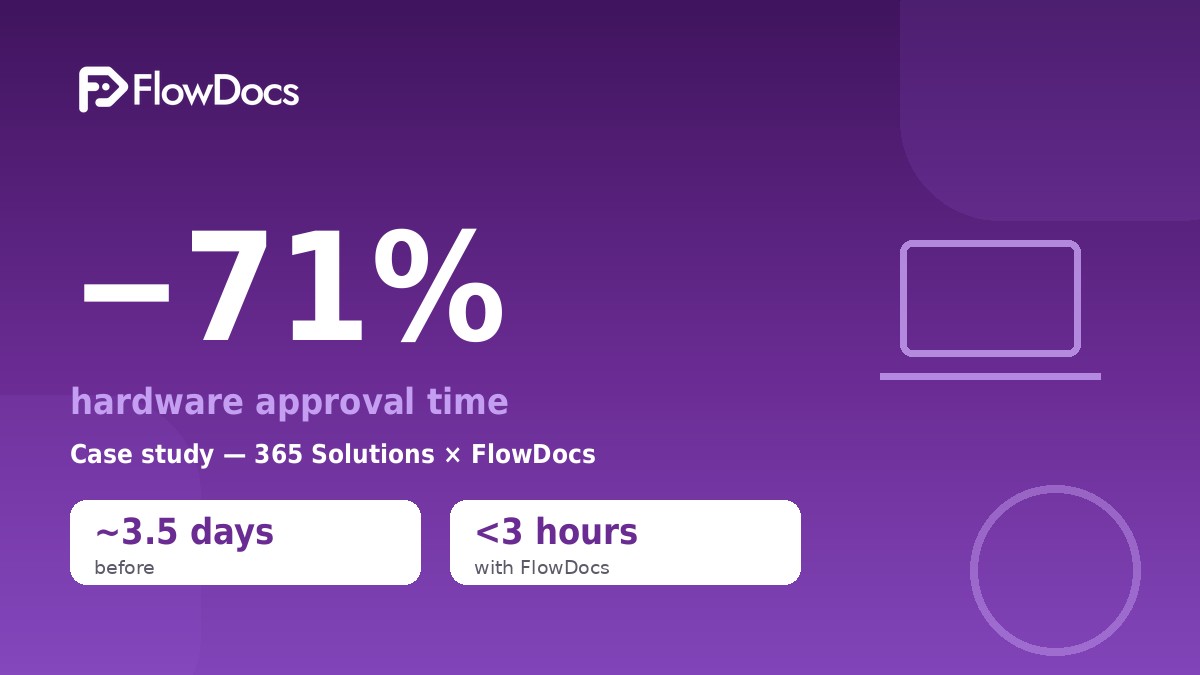
- −71%
Less time to approve hardware at 365 Solutions
- 3 h
Or less to approve a laptop for a new hire, down from 3–4 days
- 1000+
Services connect to FlowDocs natively or through Zapier, Make and n8n
A Smarter Way to Manage Internal Requests and Workflows
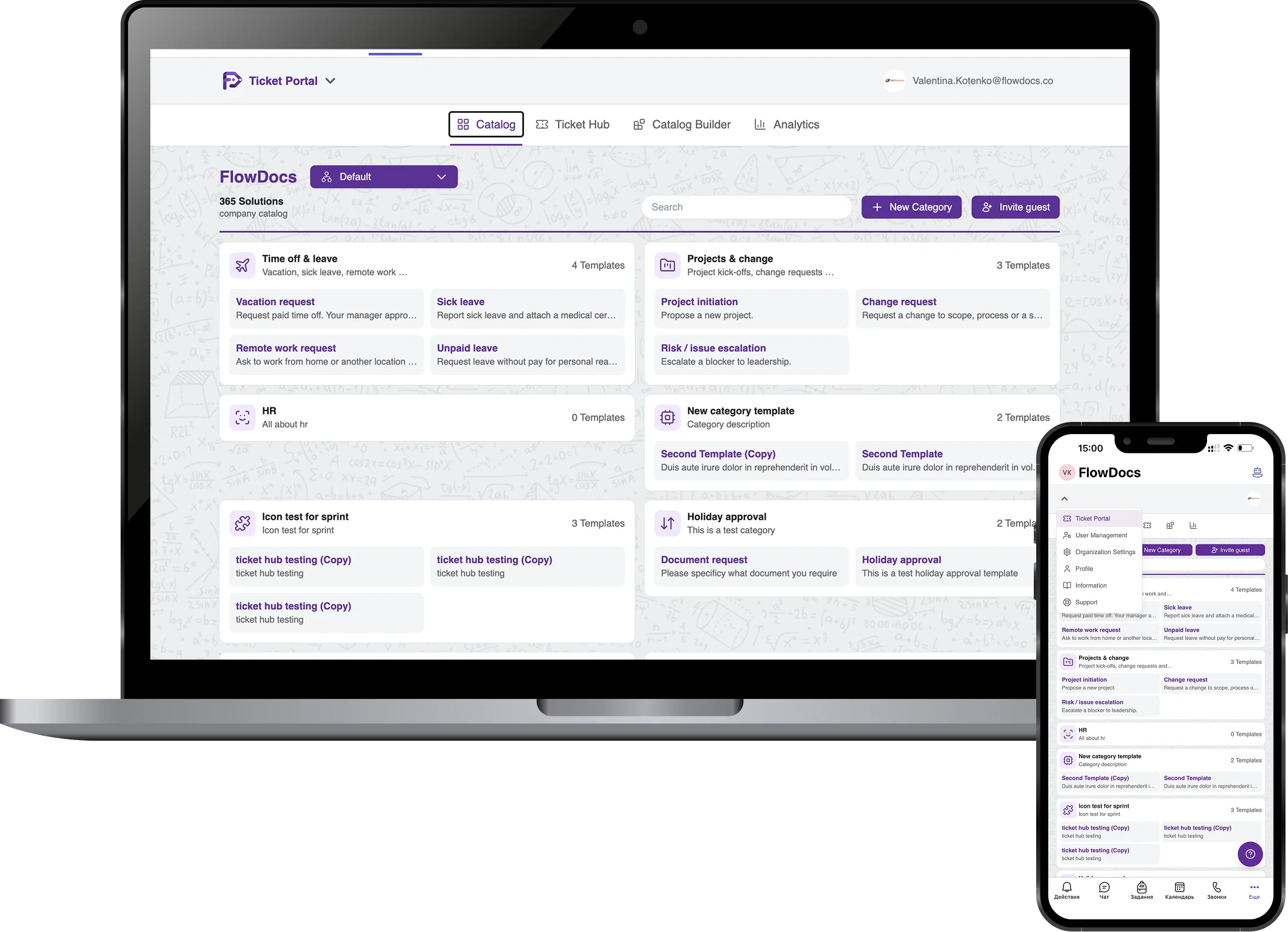
FlowDocs is an internal ticketing and workflow automation platform built for teams already working in this environment. Create structured request forms, route work to the right people, manage approvals and track progress without forcing employees to leave the tools they already use.
From scattered messages to one clear workflow
Without FlowDocs
- Requests arrive by email, in chats and in the hallway
- Nobody is sure who has to approve what
- Reminders and follow-ups are done by hand
- The status lives in someone's inbox
With FlowDocs
- One structured form for every kind of request
- Approvals go to the right people automatically
- Reminders and SLAs run on their own
- Everyone sees the status right in Microsoft Teams
your team environment WORKFLOW AUTOMATION
Everything You Need to Manage Internal Requests
No-Code Workflow Builder
Build internal request and approval workflows without coding. Configure forms, routing and process steps around the way your team already works.
Native familiar team experience
Keep employees and teams in the workspace your team already uses while requests, tickets and workflow updates are managed through FlowDocs.
Customizable Internal Ticketing
Create ticket and request processes for IT, HR, Finance, Operations and other internal teams, with workflows tailored to your organization’s requirements.
Request Tracking and Collaboration
Give request owners and teams a structured way to follow work, collaborate and keep track of progress instead of relying on scattered conversations.
Security and Access Controls
Keep internal workflows organized with the security and access controls provided by the FlowDocs platform and your existing team environment.
Workflow Analytics and Reporting
Use workflow analytics and reporting to understand request activity, monitor processes and identify opportunities to improve internal operations.
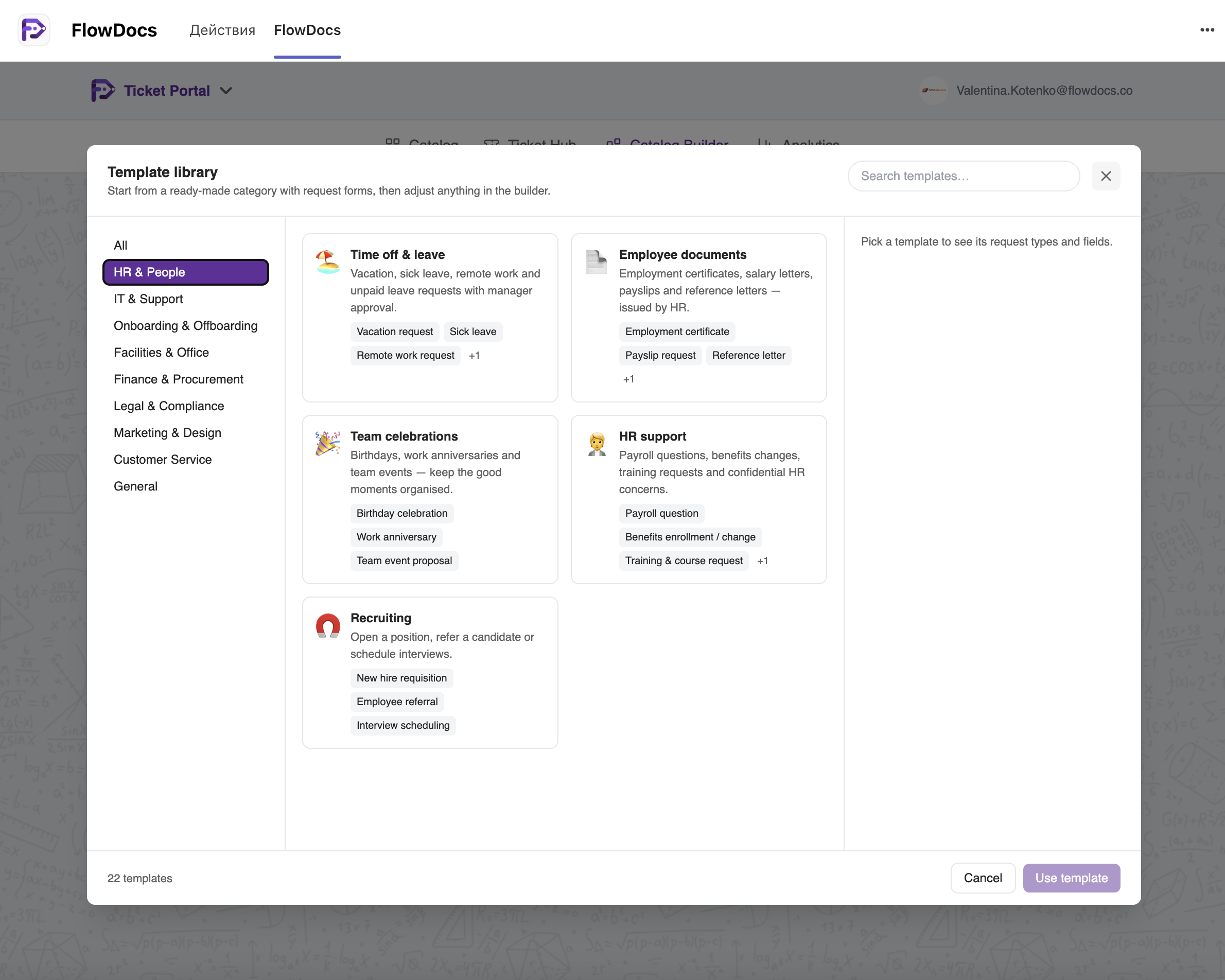
Template library
Start with ready-made ticket templates
No blank page to begin with: FlowDocs comes with a library of 20+ ready-made templates for nine departments — more than 80 request forms with their fields and priorities already set up. Pick one, and it is in your catalog with a single click.
HR, IT, finance, legal and more
Time off and leave, IT help desk and access, onboarding and offboarding, purchases and expenses, contract review, office requests, marketing briefs and customer complaints.
Live in minutes
Add a template and colleagues can submit requests in Microsoft Teams straight away — no forms to build first.
Yours to adjust
Rename fields, add approval steps, set SLAs and assignees: every template stays fully editable in the no-code builder.
In your team's language
The templates come translated into the same languages as FlowDocs itself.
E-signatures
Sign documents without leaving Microsoft Teams
FlowDocs Sign is built in and free for every organization. Attach a PDF to a request, and everyone who has to sign does it in a window right inside Teams — no extra accounts, no printing, no scanning.
Fields exactly where they belong
Place signature, name and date fields on the pages of the PDF, or add a signature page automatically.
Who signs, and in which order
The requester, the assignees or anyone by e-mail — one after another or all at once. Each person is notified when it is their turn.
A sealed PDF back on the ticket
The signed document is stored with the request, and everyone sees in one list what they still have to sign.
Already use an e-signature service?
Connect your organization's own Dropbox Sign, SignWell or Yousign account instead.
Messenger bots
Messages to Telegram, Slack and team channels from your workflows
Connect your organization's own Telegram bot, Slack app and team channels in Integrations → Messengers. Then add message steps to any template: when a ticket is created, approved, rejected, commented on or reassigned, FlowDocs sends the text you wrote.
Telegram — to one person or to everyone
Your bot writes to a person by Telegram username or phone number, or to everyone who has started a chat with it. Anyone can turn the messages off with /stop.
Slack — direct messages by e-mail
Your Slack app writes to a colleague found by e-mail: one you type in, one taken from a form field, or the ticket's requester.
Team channels
Post to Slack, Discord, Google Chat, Mattermost and Rocket.Chat channels through incoming webhooks — as a template step or for every ticket event in your organization.
Your text, the ticket's details
Put the ticket's title, requester, status, a link and any form field into the message. Every message sent — or not sent, and why — shows in the ticket's history.
Government services
Check companies in official registers and follow public tenders
A catalogue of 149 government platforms in 40 countries — business registers, VAT checks, public procurement and e-invoicing — with a clear status for every platform, so you know what connects directly today.
Company and VAT checks from a ticket
EU VAT numbers (VIES), UK Companies House and the open business registers of France, Norway, Finland, Czechia, Latvia, Poland, Romania, the United States, Canada and Australia.
Public tenders as requests
New notices from EU TED, UK Find a Tender and Contracts Finder, TenderNed, BOAMP, e-Zamówienia and CanadaBuys arrive in FlowDocs for your team to review.
Your keys, official sources only
Where a register asks for a key, your organization uses its own. FlowDocs reads open official APIs — no scraping, no logging in on your behalf.
Integrations
Zapier, Make, n8n — and 60+ native connectors
Connect FlowDocs to more than 1000 services through Zapier, Make and n8n, or plug in the tools your teams use every day directly.
Automation platforms
Create tickets, add comments and approve or reject from your scenarios with an API token; signed webhooks tell them when a ticket is created, approved, rejected or reassigned.
Requests and approvals from the systems you already run
CRM (Salesforce, Dynamics 365 Sales, Zoho CRM, Pipedrive), help desks (Zendesk, Freshdesk, ServiceNow, Jira Service Management), finance & ERP (Business Central, NetSuite, Odoo), payments (Stripe, PayPal, Adyen), project tools (Asana, Trello, ClickUp, Notion) and development (GitHub, GitLab, Jira, Sentry).
The decision goes back where it came from
When a request is approved or rejected, FlowDocs writes the outcome back to the CRM, help desk, ERP or project tool wherever the service allows it.
Turn Internal Requests Into Structured Workflows
Bring business requests, approvals and ticketing into your existing workspace, where your employees already work. Replace scattered emails and chat messages with clear processes that can be standardized, repeated and scaled across teams.
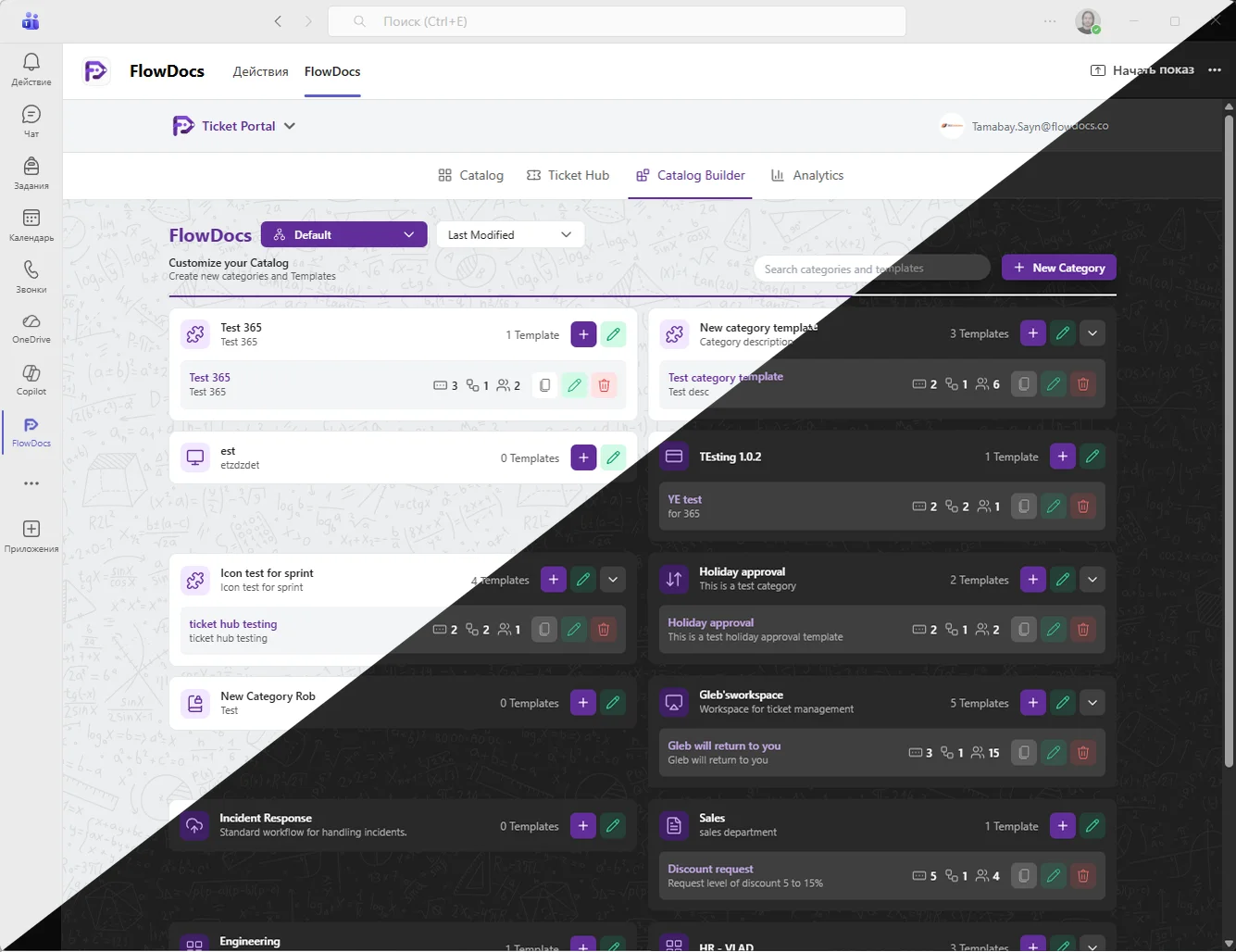
Standardize Internal Workflows in your familiar work environment
FlowDocs gives teams a no-code way to turn recurring requests and approval processes into structured workflows. Standardize how work is submitted, routed and tracked while keeping collaboration inside your existing workspace.
HOW IT WORKS
Build Internal Workflows in the same workspace
- 1
Connect your team environment
Connect FlowDocs with the tools your team already uses so employees can access your internal request and ticketing workflows where they already collaborate.
- 2
Design Your Request or Approval Workflow
Configure forms, routing and approval steps with a no-code workflow builder tailored to your team and business process.
- 3
Launch and Track Requests
Launch the workflow and give your team a structured way to submit, route, manage and track internal requests.
What Teams Say About FlowDocs
FlowDocs has transformed the way our team handles tasks. The integration with Teams has made communication seamless and efficient.
 Anna RibnikovaHead of Sales, 365Solutions
Thanks to FlowDocs, our workflow is more organized than ever. The automation features have saved us countless hours.
 Nurlan AlihanovCEO, IT Federation
Implementing FlowDocs was a game changer for us. It has simplified our processes and increased our team’s productivity.
 Alma IkbaevaHead of Marketing, Union Retail
Latest from the blog
Case studies, product news and practical guides on internal ticketing and approvals in Microsoft Teams.
14 October 2026Business Process
How 365 Solutions Cut Hardware Approval Time by 71%
See how a no-code workflow in Microsoft Teams brought hardware requests, decisions, and handoffs together in FlowDocs.A laptop for a new hire used to take 3–4 days to approve. Here’s how one team made it take hours — without adding a single new tool. Every growing company knows this moment: a new hire starts Monday, […]

7 October 2026Business Process
How 365 Solutions Replaced Three Email Workflows with One Approval System Inside Microsoft Teams
See how 365 Solutions brought scattered approvals into one consistent, visible workflow with FlowDocs inside Microsoft Teams.Every approval used to start the same way: an email. And every approval ended the same way: someone chasing that email. For 365 Solutions, a fast-growing Managed Cloud Solutions company, three critical internal processes ran entirely on email threads […]

29 September 2026Business Process
Premade Templates: Start with HR & People in Minutes, Not Days
Choose a ready-made FlowDocs template to standardize repeatable work, reduce setup time, and get your team moving faster in Microsoft Teams.Use proven templates to give every HR process a clear structure, consistent steps, and the right information from the start.Replace scattered messages and repetitive admin with automated workflow stages, task ownership, and approvals inside Microsoft […]
14 September 2026FlowDocs
NEW FEATURE: Premade Templates — a Ready-Made Process Library Inside FlowDocs
Discover how our new premade templates can revolutionize your workflow by providing ready-made processes that integrate seamlessly into your existing systems.Deploy workflows instantly with our pre-designed templates, minimizing setup time and maximizing productivity.Tailor each template to fit your unique business needs without any coding required.Facilitate better team collaboration with templates designed for seamless communication and […]

9 September 2026Business Process
Internal Ticketing in Microsoft Teams: How to Choose a System and Go Live Within a Week
Discover the seamless integration of internal ticketing systems within Microsoft Teams, designed to enhance collaboration and streamline your workflow. Transform your team’s efficiency with our easy-to-implement solution.Integrate your ticketing system effortlessly within Microsoft Teams to enhance productivity and streamline communication.Facilitate better team collaboration with a unified platform that centralizes all your ticketing needs.Implement your internal […]

14 July 2026FlowDocs
Microsoft Teams’ Summer 2026 Update: 7 New Features Land, But One Fan Favorite Gets Delayed
Explore the latest enhancements in Microsoft Teams designed to elevate your collaborative experience and streamline your workflows.June 2026 was already a blockbuster month for Microsoft Teams, but Microsoft isn’t slowing down. A fresh wave of updates is rolling out through the summer, bringing meaningful improvements to how we collaborate, share, and customize our Teams experience. […]

4 July 2026Business Process
How multilingualism in FlowDocs helps multilingual businesses: the case of an international company
Experience seamless collaboration and efficiency with our innovative internal ticketing system, designed to unify and empower your teams.FlowDocs is at the forefront of revolutionizing how international businesses operate by supporting multilingualism. Our platform integrates seamlessly with Microsoft Teams, allowing teams from different linguistic backgrounds to collaborate effectively without language barriers. By enabling multilingual workflows, we […]

3 June 2026Business Process
How FlowDocs helps companies in the UAE comply with local regulatory requirements
FlowDocs offers a comprehensive solution to ensure your business meets all UAE regulatory requirements efficiently and effectively.FlowDocs is dedicated to simplifying the compliance process for businesses in the UAE. By integrating with Microsoft Teams, we provide a no-code platform that allows companies to create custom workflows, ensuring that all regulatory requirements are met with precision. […]

2 April 2026Business Process
How FlowDocs automates key tasks and improves business efficiency: real-world cases from the UAE
Empower your teams to design and implement workflows without any coding knowledge, streamlining operations effortlessly.Integrate seamlessly with Microsoft Teams to enhance collaboration and unify team efforts across your organization.Utilize a variety of templates to standardize processes, ensuring consistency and efficiency in every task.Facilitate real-time collaboration among team members, enhancing productivity and reducing turnaround times.Gain insights […]
Integrations
1000+ services
connect to FlowDocs
Requests from your CRM, help desk, ERP, payments, HR and DevOps tools arrive in Microsoft Teams as tickets and approvals — through native connectors or Zapier, Make and n8n.
- +1000
Ticketing, approvals and automation — without leaving Teams.
See FlowDocs in Action
Tell us how your team handles internal requests today, and we will show you how FlowDocs can structure the process in the workspace your team already uses.